
Graphic design is more accessible than ever. Tools like Canva make it easy for students, small businesses, creators, and beginners to create social media posts, presentations, posters, and invitations without investing in expensive software or spending years learning design.
But one question remains: Should you create the design yourself or hire a professional?
The honest answer? It depends.
Canva isn't a bad tool, and using it doesn't automatically make a design look unprofessional. However, being a professional graphic designer is not simply about knowing how to use Photoshop or Illustrator. Using a design tool is one thing; understanding design principles is another.
Before spending money on a designer or hours designing it yourself, let’s understand when each option makes sense.
What Makes Canva So Useful?
Canva is popular because it makes designing simple and accessible to everyone.
You can choose a template, replace the text and images, adjust the colours, and create a decent-looking design within minutes. It’s a practical option for quick Instagram posts, simple invitations, and other basic designs.
Another advantage is cost. Canva offers many features for free, and its paid version is still more affordable than hiring a designer for every small design need.
Canva is especially useful when:
1. You regularly need simple designs.
2. You have a limited budget.
3. The design is not a key part of your brand identity.
4. You need a design quickly.
5. You are comfortable making basic design decisions.
6. You are creating temporary or internal content.
For example, if you’re organizing a small birthday party and need a simple invitation, hiring a graphic designer may not be necessary. You can easily create one yourself using Canva.
For a basic college project presentation, Canva works perfectly well.
But Canva Does Not Automatically Make You a Designer.
This is where things often get confusing.
Canva provides the tools, but good design still depends on your judgement.
Having access to hundreds of beautiful templates doesn’t guarantee a good design.
Why? Because good design isn’t just about choosing a visually appealing template.
It involves understanding:
1. Typography.
2. Colour theory.
3. Visual hierarchy.
4. Spacing.
5. Alignment.
6. Composition.
7. Contrast.
8. Branding.
9. Audience behaviour.
10. Communication.
For example, a font may look beautiful but be difficult to read at smaller sizes. Colours may be attractive but may not suit the brand. Similarly, using too many elements can make a design look cluttered.
Software can’t make these decisions for you; they require human creativity and design judgment.
Canva helps you create a design, but it doesn’t guarantee that the design will be effective or professional.
When Is Canva Enough?
DIY design is a good choice for simple projects where small mistakes are unlikely to have a major impact.
1. Simple Social Media Posts: For a personal Instagram page, Canva is usually enough for basic quote posts, announcements, and informational graphics. You don’t need to hire a professional designer for every simple post.
2. Personal Invitations: Birthday invitations, small event announcements, housewarming invitations, and similar personal designs can easily be created using Canva. Unless the event is highly formal or requires a completely customized visual identity, creating the design yourself is a practical and cost-effective choice.
3. College or Personal Projects: Students can use Canva to create presentations, posters, resumes, certificates, and project graphics. However, instead of simply changing the text in a template, understand why the design works and apply those principles to create your own designs.
4. Internal Business Materials: For internal notices, meeting presentations, checklists, or basic documents, professional design may not be necessary. The main focus should be on clarity and functionality rather than creating a strong public-facing brand impression.
5. Testing an Idea: Canva is also a great tool for experimentation. If you have a social media campaign idea but are unsure whether it will work, create a basic version, test the concept, and invest in professional design once it proves successful.
When Should You Hire a Professional Graphic Designer?
DIY can sometimes end up costing you more than hiring a professional.
1. When Branding Is Involved: If you’re launching a business, your visual identity matters. Your logo, colours, typography, packaging, social media graphics, and website should all feel consistent. A professional designer can build a cohesive visual system rather than just a collection of unrelated designs. A logo alone is not a brand.
2. When You Need Something Custom: Templates are useful, but limited. For a unique design that reflects your business, product, personality, or campaign, a professional designer can create something from scratch, helping you stand out from businesses using the same templates.
3. When the Design Represents Your Business: Think about your website, product packaging, brochures, advertisements, presentations, brand identity, and marketing materials. These designs play an important role in shaping how people perceive your business. If your designs look careless, inconsistent, or confusing, people may question the quality and professionalism of your business. That is why professional design is not just an expense; it is an important part of your communication strategy.
4. When You Don't Have the Time: Time Is a Resource. This is often overlooked. You may be able to create your own Instagram posts, but if each post takes two hours, ask yourself whether that time could be better spent elsewhere. As a business owner, your time may be better invested in sales, customer relationships, marketing, product development, or other important responsibilities. Hiring a designer can save you time and allow you to focus on the areas where your expertise matters most.
5. When You Don't Know Why the Design Looks Wrong: This is a major sign that you need professional help. Your colours, images, and fonts may look good, but the design still feels wrong. You keep changing elements without knowing the real issue. A professional designer can identify whether the problem is hierarchy, spacing, typography, composition, contrast, or something else, and address the root problem instead of making random changes.
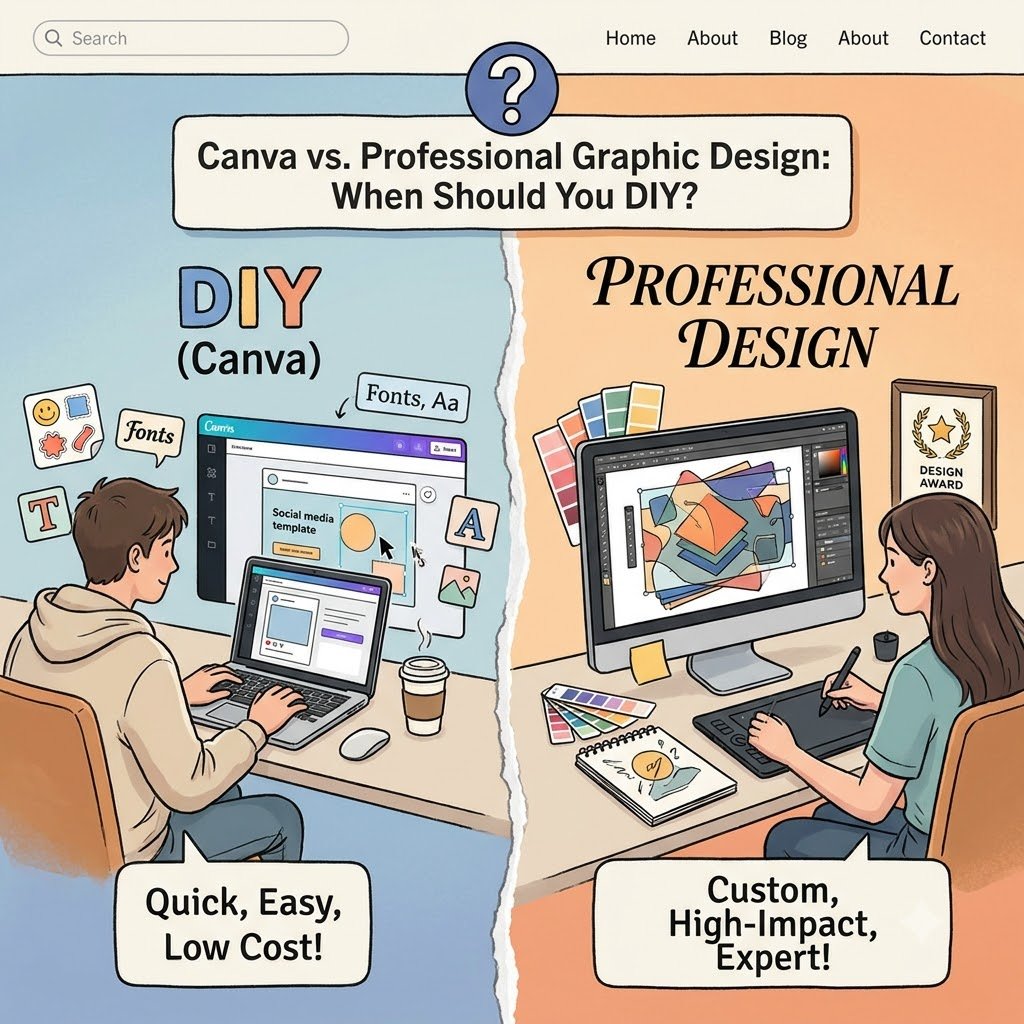
Canva vs. Professional Design: The Honest Comparison.
The choice is not really between Canva and professional designers; it depends on your project.
Canva is a tool, while professional graphic design combines knowledge, strategy, creativity, and execution.
For simple, low-risk designs, Canva is often enough. For important business projects, hiring a professional designer can be worth the investment.
You don’t have to choose just one. Use Canva for quick, repetitive content, and hire a designer for branding, major campaigns, marketing materials, and projects where quality and originality matter.
The Final Question: Should You DIY?
Before opening Canva, ask yourself five questions:
1. Is this design important to my brand or business?
2. Does it require a high level of customization?
3. Will it influence how people perceive my business?
4. Do I have the skills and time to create it properly?
5. What happens if the final result looks average or unprofessional?
If the risk is low, DIY can be the smarter option.
However, if the design is highly visible, requires customization, or directly affects your business reputation, hiring a professional designer may be the better choice.
The goal is not to stop using Canva. It is to understand when Canva is enough and when it isn’t.
Good design is not about using expensive software or hiring a designer for everything. It is about choosing the right approach for the right situation.
Sometimes, the best decision is to open Canva and do it yourself. Other times, it is knowing when to call a professional.